
BROWSER EXTENSION
EMF Map, while you browse.
See estimated magnetic field levels right on home and rental listings. Open the full map in one click.
 Install Chrome Extension
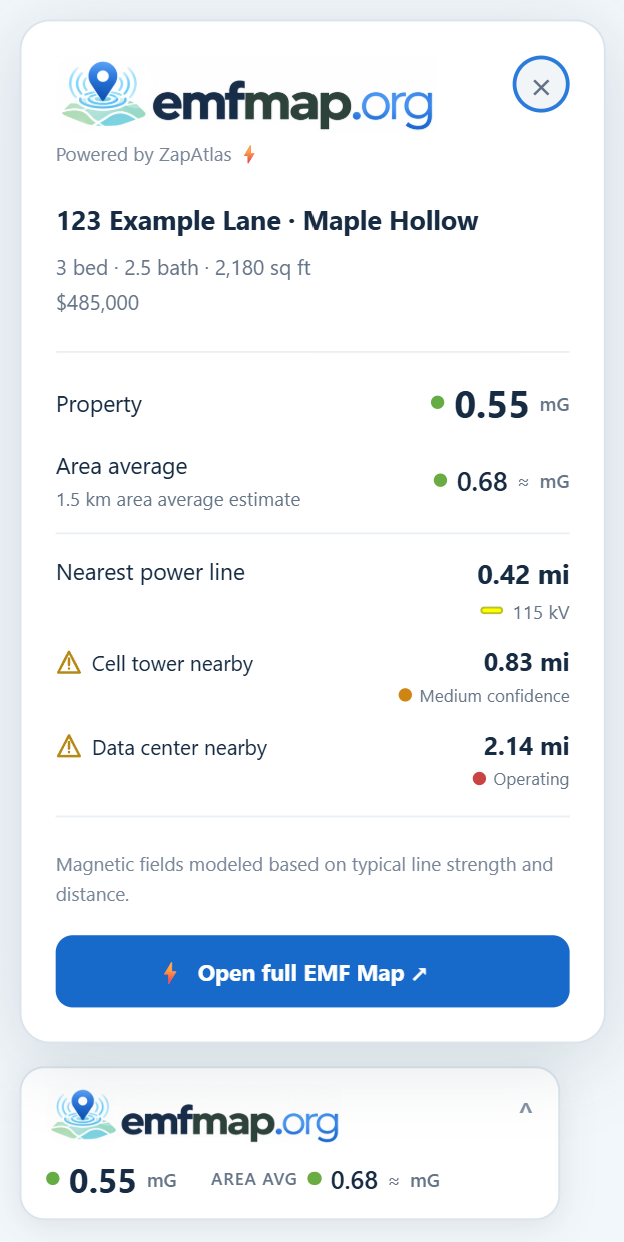
The EMF badge, right on the listing.
Once installed, EMF Map adds a badge to supported property pages on Zillow, Realtor.com, Homes.com, Airbnb and other home, rental and travel sites.
Expand it to see the property's estimated magnetic field, the surrounding-area average, and distances to nearby power lines, cell towers and data centers. Open the full map to explore the listing location and surrounding area.
Compact and unobtrusive. The small EMF badge appears in the corner on supported listing pages as you browse; expand it when you want to view the full details.
Choose your browser
Google Chrome
- Open the extension page.
- Click Add to Chrome and confirm.
 Microsoft Edge
- Open the extension page.
- Click Get extension in the top banner and confirm.
Works where you search
Home, rental, and travel listing integrations.















From the listing to the map
Check a property listing, then explore the surrounding area.
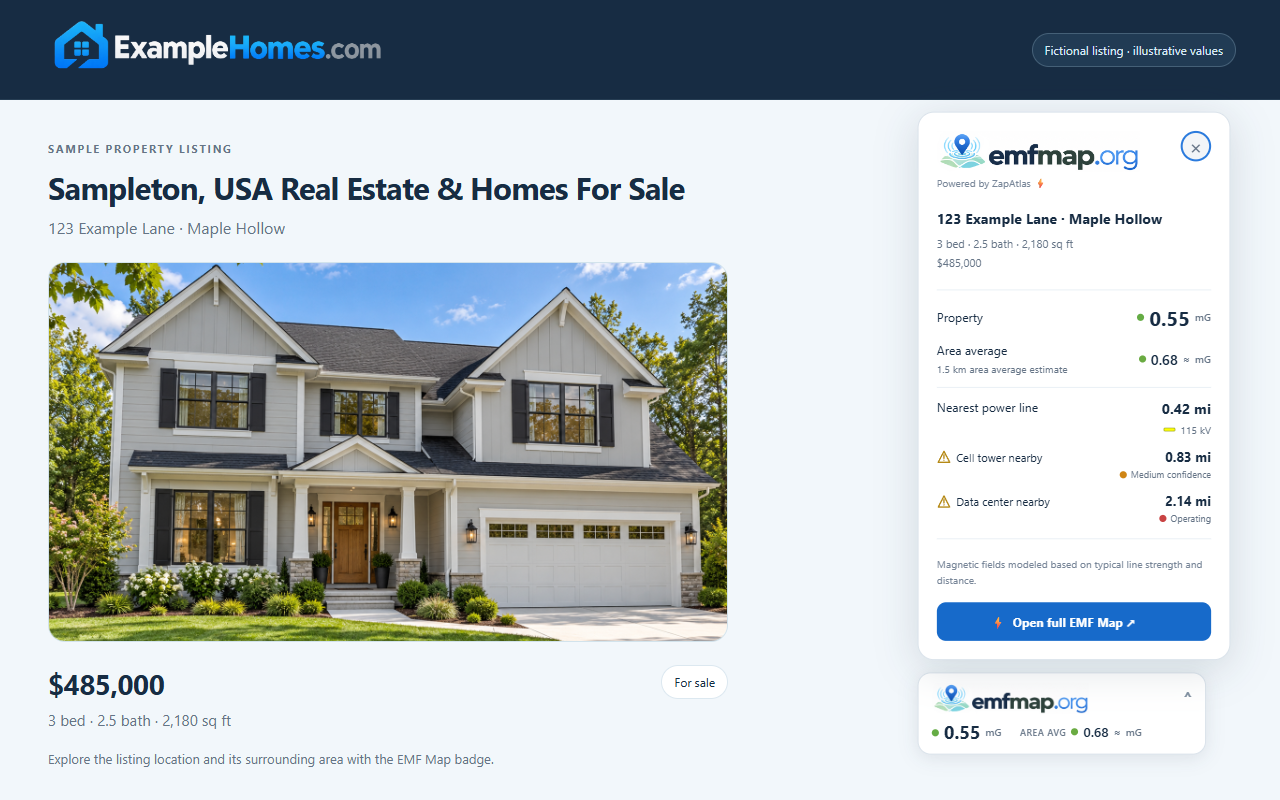
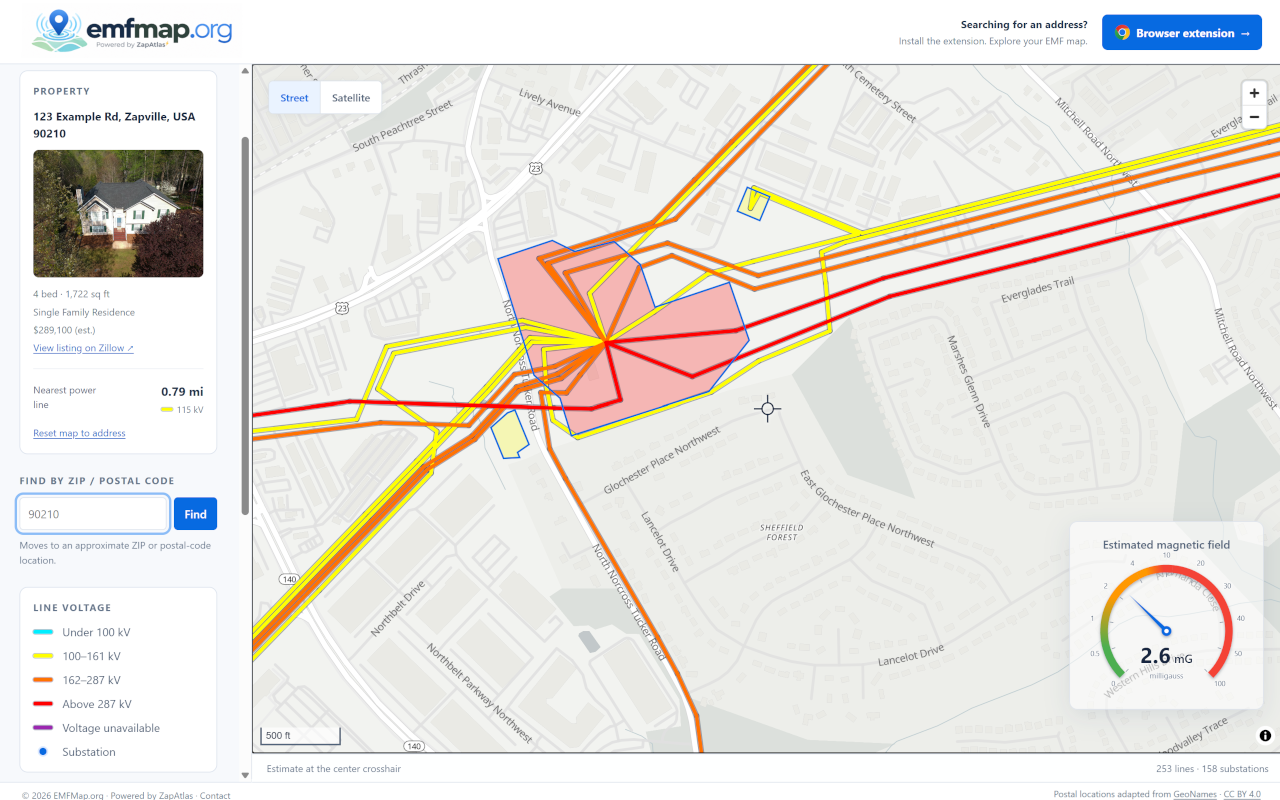
Demo screenshots use sample property details and illustrative values.
No subscriptions. No passwords.
Your free trial starts as soon as you verify your email. Refresh any open listing tabs and open the EMF Map badge to get started. Your trial includes 3 analyses per hotel or vacation-rental site, 5 per other site, 12 total.
Your browser handles updates
Install from the Chrome Web Store in Chrome or Microsoft Edge, and your browser automatically installs new versions after they are approved and published.
Try it free on your next property search.
Add it to your browser, open a supported listing, and verify your email to start your free trial. Check the badge, open the full map, and explore estimates around the property.
Install Chrome Extension
12 trial analyses · No password or payment card required.